The Hytera TC-610 is a rugged analogue two-way radio built for demanding work environments such as construction sites, security operations, and industrial settings. With its strong audio performance and IP66-rated dust and water protection, it is designed to remain reliable even under harsh conditions.
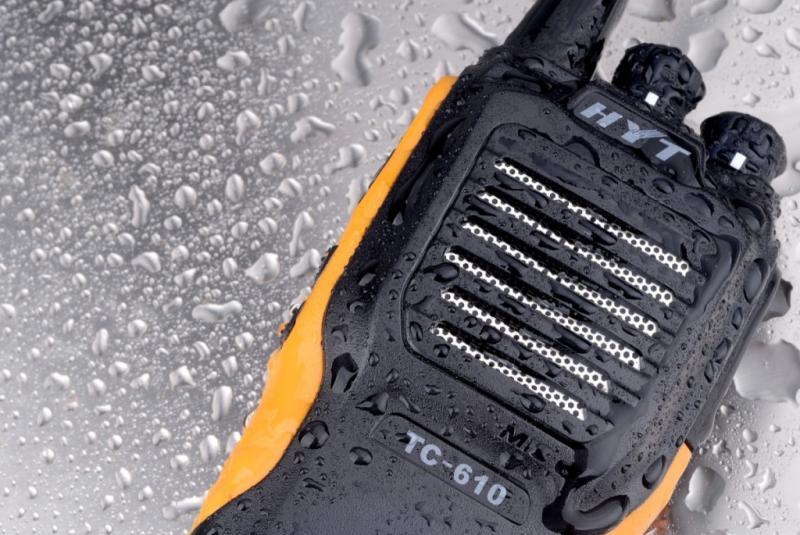
To keep the radio performing consistently, a combination of basic daily care and proper battery handling is essential.
Daily Cleaning and Care
Regular cleaning helps maintain both performance and durability.
After use, it is recommended to wipe the radio body, speaker area, battery contacts, and accessory ports with a clean, soft, dry cloth. This removes dust, dirt, and moisture that could affect sound quality or charging efficiency.
If the device or battery becomes wet, it should be fully dried before charging. Charging a wet battery is not recommended and may lead to damage or safety issues.
Keeping the unit clean is a simple habit, but it plays an important role in ensuring long-term reliability.
Proper Battery Handling
Correct battery usage is another key factor in maintaining the TC-610.
For best results, the radio should be turned off during charging. This helps ensure a stable charging process and improves battery efficiency.
It is also important to avoid interrupting the charging cycle. Removing the battery too early or cutting off power can affect long-term battery performance.
Charging should take place in a normal indoor temperature range. Extreme temperatures can reduce battery life or impact charging efficiency.
Over time, all batteries wear out. If the radio’s operating time becomes noticeably shorter, it is usually a sign that the battery is reaching the end of its service life and should be replaced.
Routine Inspection
In addition to cleaning and charging, regular inspection helps prevent small issues from becoming larger problems.
Check that the battery latch, antenna, and belt clip are secure and undamaged. The TC-610 uses a latch mechanism to keep the battery firmly attached, so this area should remain clean and in good condition.
A quick inspection during routine use can help ensure the radio stays dependable in daily work.
>>>Battery replaces BL1204 for Hytera TC-610 TC-610S TC-620
How to Replace the Battery
Replacing the battery on the TC-610 is a simple process.
First, turn off the radio. Then press or slide the battery latch located at the bottom of the unit and remove the old battery.
Next, align the new battery with the guides on the radio body. Slide it into place until it locks securely.
Make sure the battery is properly seated before turning the radio back on. Using the latch correctly helps prevent damage during removal and installation.
When purchasing a replacement, it is important to use a compatible Hytera battery model.
The BL1204 battery is commonly used for the TC-610, along with other compatible replacements designed for the same series.
Using the correct battery ensures safe charging, proper fit, and stable performance during operation.