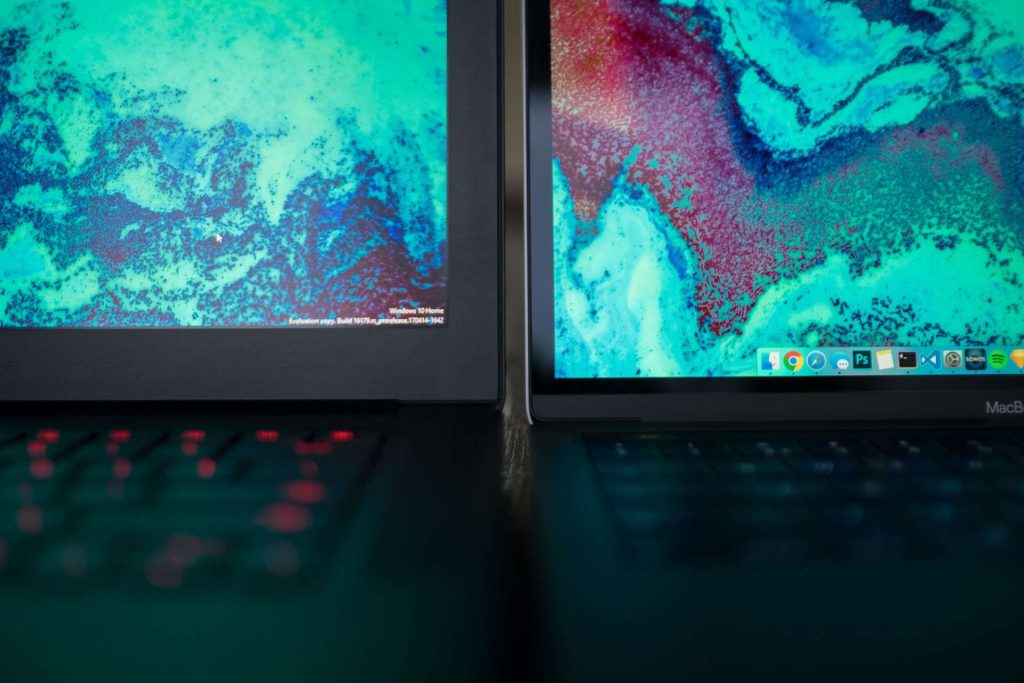
Choosing between a MacBook (macOS) and a Windows laptop isn’t just about hardware—it’s about the ecosystem, workflows, budget, and personal preferences. Here’s a refined breakdown to help you decide:
Software Ecosystem & Workflow
- macOS Advantages
- Native Unix-based environment supports developer tools like Homebrew, Xcode, Terminal, and shell scripting.
- Seamless integration with iPhone, iPad, Apple Watch via Continuity features (e.g., Handoff, Universal Clipboard).
- User-friendly UI, polished trackpad gestures, Spotlight search, and close-knit hardware-software integration.
- Windows Pros
- Broader software and hardware compatibility—better support for legacy apps, specialized business tools, engineering software, and AAA gaming.
- Virtualization options (VMware, Hyper-V); many models allow easier upgrades (RAM, storage).
- Windows 11 includes AI enhancements (Copilot+), stronger hardware configurability, and a familiar interface for many users.
- Learning Curve: Transitioning between systems challenges muscle memory. For example, macOS shortcuts and Finder navigation can feel unintuitive to long-time Windows users, and third-party tools often help bridge the gap.
Upgradability & Repairability
- MacBooks
Historically closed systems: RAM and storage are soldered on, making upgrades impossible. To improve performance, you’d need to purchase a higher-spec machine upfront, which is costly. - Windows Laptops
Many models—like the Lenovo ThinkPad series—allow for upgrading RAM, storage, and sometimes even CPU. Microsoft’s Surface Laptop 7, though still limited by soldered RAM, does offer a removable SSD and easier repairability.
Price & Value
- MacBook Pricing
MacBooks tend to have higher entry prices but hold strong resale value and include long-term software support and security updates for ~6–7 years. Expect good value if you use them for years. - Windows Options
You can find capable Windows laptops across a broad price range—affordable budget models ($500–700), mid-range ultrabooks ($700–1,200), and high-end workstations or gaming rigs ($1,500+).
Special Use Cases
- Creative Work (Video, Photo, Audio)
MacBook Pros with M-series chips shine for creative professionals—high color accuracy, fast rendering, and pro apps like Final Cut Pro and Logic Pro. Windows heavyweights (e.g., Asus ProArt, XPS) also deliver excellent performance and superior hardware flexibility. - Students & Business Users
MacBook Air is a favorite among students for its portability, battery life, and seamless ecosystem. Windows alternatives like Surface Laptop and ThinkPads appeal for flexibility and enterprise-grade tools. - Gaming
Windows dominates. Most AAA titles are Windows-only, and gaming hardware is far more accessible in the Windows ecosystem. MacBooks are limited in this department.
Ecosystem & Compatibility
- MacBook Ecosystem
Best for those already invested in Apple products: iPhone, iPad, AirPods, Apple Watch. Continuity, iCloud, AirDrop, and sidecar functionality make daily workflows seamless. - Windows Ecosystem
Windows fits well in mixed-device environments: Android phones, PC peripherals, enterprise VPNs, and USB/Thunderbolt/HDMI devices. It supports work scenarios, legacy software, and gaming better.
So, Which One Suits You?
There’s no one-size-fits-all answer. The “better” system depends on your daily needs and environment:
- Pick a MacBook if:
- You value battery life, efficient performance, and build quality.
- You use Apple devices and rely on continuity features.
- You’re a creative professional or developer invested in the macOS toolchain.
- You’re okay with paying more upfront and planning specs ahead.
- Choose Windows if:
- You need gaming or enterprise-grade software and hardware compatibility.
- You want to customize or upgrade your system down the line.
- You prioritize flexibility across platforms and price points.
- You’re a student, business professional, or gamer needing accessibility.