If you’re using an Autel MaxiSys, MaxiCOM, MaxiBAS or a related tablet, the Vehicle Communication Interface (VCI) is the key component that connects your diagnostic tool to the vehicle’s OBD-II port.
For years, the MaxiVCI V100 has been the standard wireless adaptor. The MaxiVCI V200 is the newer replacement, adding support for modern protocols and offering improved wireless performance.
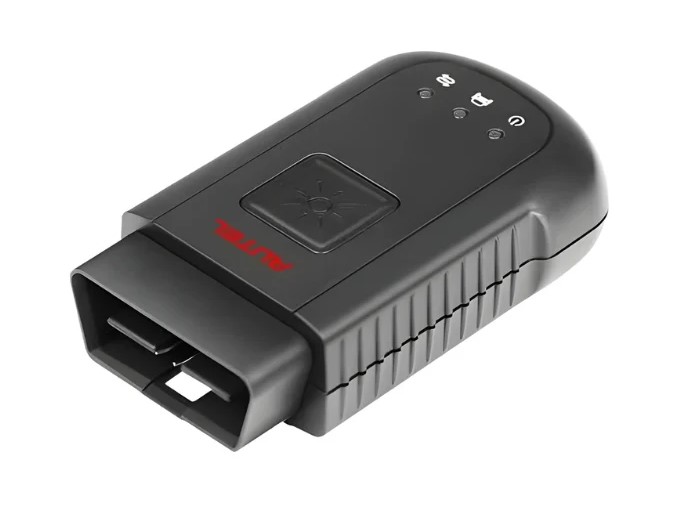
Quick Specification Comparison
- Bluetooth version: V100 uses Bluetooth 2.1 + EDR, while V200 uses Bluetooth 5.0 / BLE + EDR
- DoIP support: Not supported on V100, supported on V200
- CAN FD support: Not supported on V100, supported on V200 (4-pin interface)
- Wireless range: V100 offers a stable connection but a narrower range, while V200 provides a greater range and a more stable connection
- Built-in battery: Present on both
- LED indicators: Present on both
- USB interface: USB 2.0 on both
- Voltage range: Around 12V on the V100, and wider on the V200 (approximately 6–36V / 8–30V)
What Changes in Real-World Use
1. Protocol support is the biggest difference
The V100 handles traditional CAN and earlier protocols very well, while the V200 builds on this by adding support for DoIP (Diagnostics over Internet Protocol) and CAN FD. These protocols are increasingly common in vehicles built around 2018 and later, particularly on European brands such as the Volkswagen Group, BMW and Mercedes-Benz, as well as on some newer Asian models.
Without DoIP and CAN FD support, you may need an external adaptor, or you may be completely unable to communicate with certain modules on newer vehicles.
2. Noticeably improved Bluetooth performance
The V200 pairs more quickly, maintains a more stable connection and drops out less often. Response times improve when running full system scans, reading live data and generating topology maps. The more practical wireless range also makes it easier to move around the vehicle or the workshop while you work.
3. Broader compatibility
The V100 works with older tools, such as the MS906BT, MS906TS, MK908, MS908 series and the Elite.
The V200 is the native interface for newer tools, including the MS906 Pro / Pro-TS, MS906 MAX, MK906 Pro series, BT608 / BT609, ITS600 and KM100. Many older tablets can also be paired with the V200, provided they received a software update around 2022 or later.
In addition, once the Autel Maxi PC Suite driver is installed, the V200 can serve as a J2534 interface for PC-based diagnostic work in many cases.
Should You Upgrade?
If you want your equipment to be better prepared for future vehicles and to enjoy a smoother day-to-day experience on modern cars, the MaxiVCI V200 is a worthwhile upgrade. The added DoIP and CAN FD capability, combined with faster and more stable Bluetooth connectivity, directly addresses some of the practical limitations of the older V100.
That said, if your workshop or mobile work mainly involves vehicles from before 2018, and your existing V100 is running reliably, the upgrade is not essential.
Before purchasing, make sure to confirm that the V200 is fully compatible with your tablet model and software version. Autel technical support or an authorised dealer can usually verify this quickly using your device’s serial number.