The Amazon Kindle 2, with its iconic physical keyboard and sturdy build, remains a favorite for many “vintage” tech enthusiasts. However, as we move through 2026, these devices are approaching nearly two decades of existence. While the E-ink screen might still look as crisp as ever, the lithium-ion battery inside has a finite lifespan.
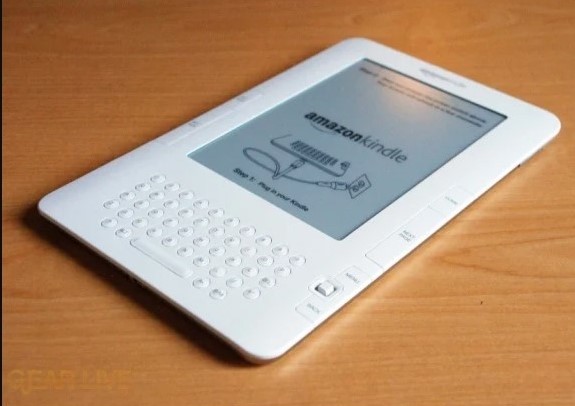
If you are wondering whether it’s time to crack open that shell and swap out the cells, here are the definitive signs that your Kindle 2 needs a new heart.
The “Vanishing Act” (Rapid Discharge)
The hallmark of a healthy Kindle is a battery life measured in weeks, not hours. If you charge your device to 100% and find it gasping for air by the next morning—even with the wireless (Whispernet) turned off—the battery has likely lost its capacity to hold a charge. Lithium-ion batteries degrade over charge cycles; after 17 years, even a lightly used Kindle 2 is likely hitting its chemical limit.
The “Stuck” Screen
Are you seeing the “Critical Battery” screen even after hours of being plugged into a wall outlet? Or perhaps your device frequently freezes or reboots during a page turn? While these can sometimes be software glitches, they are more often caused by the battery failing to provide a consistent voltage. When the hardware doesn’t get the “push” it needs, the E-ink controller can’t flip the pigments, leading to a frozen display.
The “Spicy Pillow” (Physical Swelling)
This is the most critical sign and a matter of safety. If you notice the back casing of your Kindle 2 bulging, or if the screen seems to be lifting or warping from the inside, stop using it immediately.
As batteries age or fail, gas can build up inside the pouch, causing it to swell. A swollen battery is a fire hazard. While the Kindle 2’s metal-and-plastic frame is tough, it won’t hide a “spicy pillow” for long. If your device no longer sits flat on a table, it’s time for a replacement.
Slow Charging or Excessive Heat
If the LED indicator stays amber for days or if the back of the Kindle feels uncomfortably warm while charging, the internal resistance of the battery has likely spiked. A healthy Kindle 2 should stay cool during a charge. Excessive heat is a sign that energy is being wasted as thermal output instead of being stored, which is a clear indicator of internal degradation.
>>>Battery replaces 170-1012-00 for Amazon Kindle 2
Is it Worth the Effort?
Replacing a Kindle 2 battery is a rewarding DIY project. Unlike modern tablets that are glued shut, the Kindle 2 is relatively accessible with the right pry tools.
Given that the 3G “Whispernet” for this model has been sunset for years, a “revived” Kindle 2 serves as a distraction-free, offline reading machine. If the screen is still clear and you enjoy the tactile feel of the keyboard, a replacement battery is a small price to pay to keep a piece of e-reader history alive.