If you’re using an older BLU Studio Mini and notice that the battery is draining faster than usual, the phone is randomly shutting down, or the battery is expanding, it’s likely due to natural battery degradation. Today, we’ll walk you through how to safely replace your BLU Studio Mini battery and prevent it from becoming an expensive paperweight.
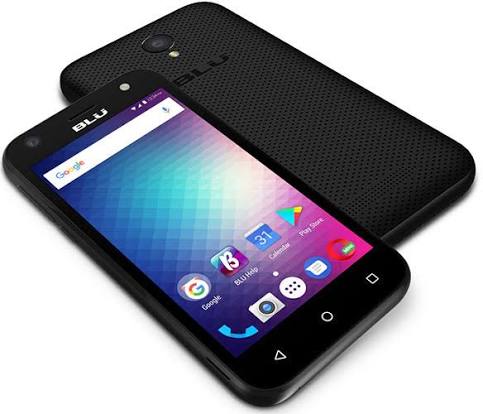
Why Replace the Battery?
The BLU Studio Mini typically comes with a removable battery with a capacity between 1500 and 3000 mAh. You might need a replacement if you notice any of these symptoms:
- The battery percentage drops rapidly.
- The phone gets unusually hot.
- The device refuses to charge or automatically shuts down with 20% to 30% battery remaining.
- There is a noticeable bulge in the back cover.
All of these issues can severely ruin your daily user experience. Fortunately, a budget-friendly battery replacement can breathe new life into your device.
Safety First – Important Warnings
Replacing a battery involves lithium-ion technology, which can be dangerous if mishandled. Please keep the following safety tips in mind:
- Work in a clean, well-lit area. Avoid static electricity and flammable surfaces.
- Power down the phone completely and remove all SIM and SD cards before starting.
- Never puncture, short-circuit, or expose the old battery to high temperatures. Dispose of it properly by taking it to a local electronics recycling center.
Step-by-Step Replacement Guide
- Remove the back cover: Most BLU Studio Mini models use a snap-on plastic back cover. Locate the small notch at the bottom or side of the phone, and gently pry open the edges using your fingernail or a plastic opening tool. Work your way around slowly to avoid cracking the plastic.
- Locate and remove the old battery: Once the cover is off, carefully slide or lift the battery out. Some models have a small recess at the bottom of the battery compartment, making it easy to lift it up with your finger.
- Clean the battery compartment: Wipe away any dust or residue with a soft, dry cloth. Check the metal contacts inside the phone for any signs of corrosion.
- Install the new battery: Insert the new battery, making sure the gold connectors line up perfectly with the pins in the phone. Press down firmly but gently until the battery is fully seated.
- Reassemble the phone: Snap the back cover securely back into place, ensuring all edges click shut. Reinsert your SIM and SD cards, power on the device, and charge it to 100% before extensive use.
Because the BLU Studio Mini features a removable design, replacing its battery is one of the easiest phone repairs you can perform. It is an excellent, cost-effective way to extend the lifespan of this budget device instead of tossing it into a landfill.