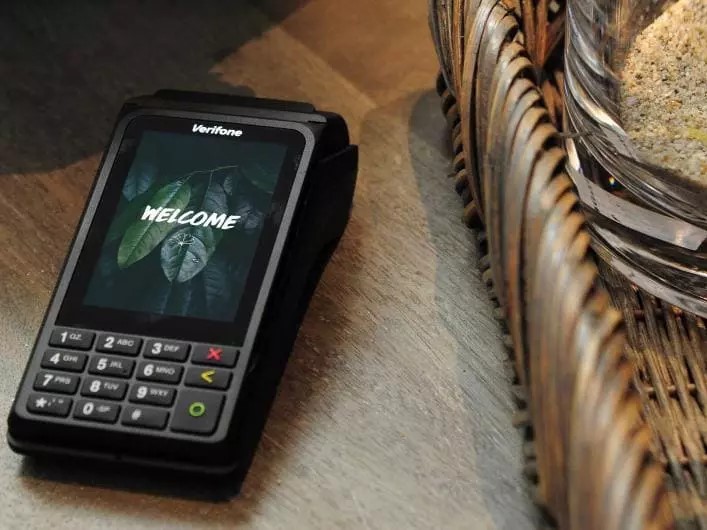
The Verifone V240m is one of the most popular portable payment terminals available today. It is compact and comes equipped with a 3.5-inch color touchscreen, a built-in printer, Wi-Fi, and Bluetooth, and it supports a wide range of payment methods, including magnetic stripe cards and contactless payments.
But just like any hardware your business uses every day, regular maintenance is essential. Here is how to keep your V240m in great condition, and when to replace its battery.
Daily Maintenance: Small Habits, Big Payoff
Clean it the right way. Start by powering off the terminal and unplugging the power cord. Gently wipe the surface with a clean microfiber cloth lightly dampened with a small amount of water and one or two drops of mild, neutral soap. Never spray or pour liquid directly onto the device, and do not use harsh chemicals such as bleach, thinners, or ketone-based solvents, since they can damage the plastic and rubber components. One more tip: do not rub the device vigorously with a dry towel, because static discharge can trigger the tamper alert.
Pay attention to the card readers. The magnetic stripe reader collects dirt easily. Clean it regularly with an approved magnetic stripe reader cleaning card. Depending on your transaction volume, this can range from daily to weekly. The smart card (chip) reader, on the other hand, should not be cleaned on your own. Attempting to clean it yourself may void your warranty, so leave it to your service provider.
Keep the terminal dry, away from dusty environments, and out of extreme heat or cold. Do not drop it or shake it, since rough handling can crack the internal circuit boards. Never pry open the casing unless the manual allows it. The V240m has tamper-proof security features, and if the casing is breached, the data on the device will be wiped.
Charge it sensibly. If you store spare terminals or batteries, keep them in a cool, dry place away from direct sunlight, and maintain a charge level between 40% and 70%. Check the batteries every six months for any signs of swelling or leakage.
Replacing the Battery: Done in Two Minutes
Here is the good news. The V240m’s 3.6V, 3350mAh lithium-ion battery is field-replaceable, which means you do not need a technician or a replacement terminal.
Here are the steps:
- Power off the terminal completely and disconnect it from any charger or base.
- Turn the device over and remove the back cover, located on the bottom of the terminal.
- Disconnect the old battery and set it aside in a safe place.
- Connect the new battery, making sure its specifications match the V240m.
- Put the back cover on, power the terminal on, and fully charge the new battery before heavy use.
Safety tip: If your old battery is swollen, leaking, or giving off an odor, stop using it immediately and dispose of it in accordance with your local lithium battery recycling regulations. Never throw it in the trash or send it back in a return package.
In Summary
A one-minute wipe-down each day, a weekly cleaning card, sensible charging habits, and a battery replacement every few years. That is all it takes to keep your V240m processing payments smoothly for the long run.